Pablo has a library of common intake documents and questionnaires. Add one to a packet instead of writing it from scratch.
Add a template to a packet
- Open Settings > Client portal.
- Under Packets, open a draft packet, or choose Add a packet.
- Choose Start from a template, then the one you want.
Pablo adds the template's questions to the packet and saves it. If the template includes a document, Pablo adds your practice's copy to Documents in your packets. You can change its wording.
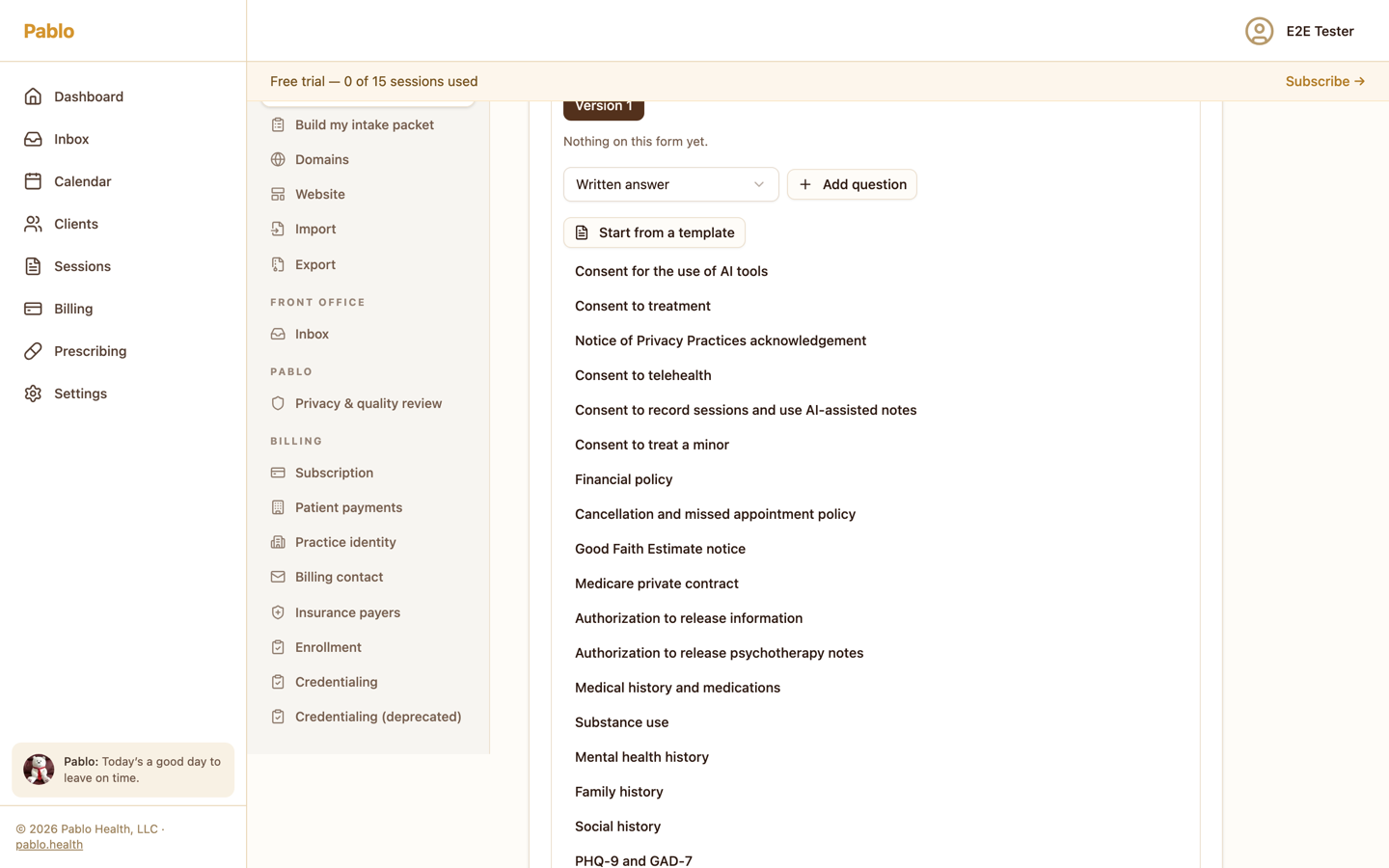
What's in the library
Documents to sign
- Consent to treatment
- Notice of Privacy Practices acknowledgement
- Consent to telehealth
- Consent to record sessions and use AI-assisted notes
- Consent for the use of AI tools
- Consent to treat a minor
Payment and Medicare
- Financial policy
- Cancellation and missed appointment policy
- Good Faith Estimate notice
Releases
- Authorization to release information
- Authorization to release psychotherapy notes
Questions
- Medical history and medications
- Substance use
- Mental health history
- Family history
- Social history
- PHQ-9 and GAD-7
When a client answers Session transcription on the AI tools consent, the answer goes on their chart.
Write your own document
To ask a client to sign something that isn't in the library, add a Consent to sign question to the packet and choose Write a new one. Give it a Document name, write What they read, and choose Publish and use it.
If a document has more than one published version, Which wording lets you keep asking for an earlier one. Left as it is, the packet uses the newest when you publish.
Publish your changes
A template goes into a draft. Choose Publish on the packet when you're ready for clients to see it.