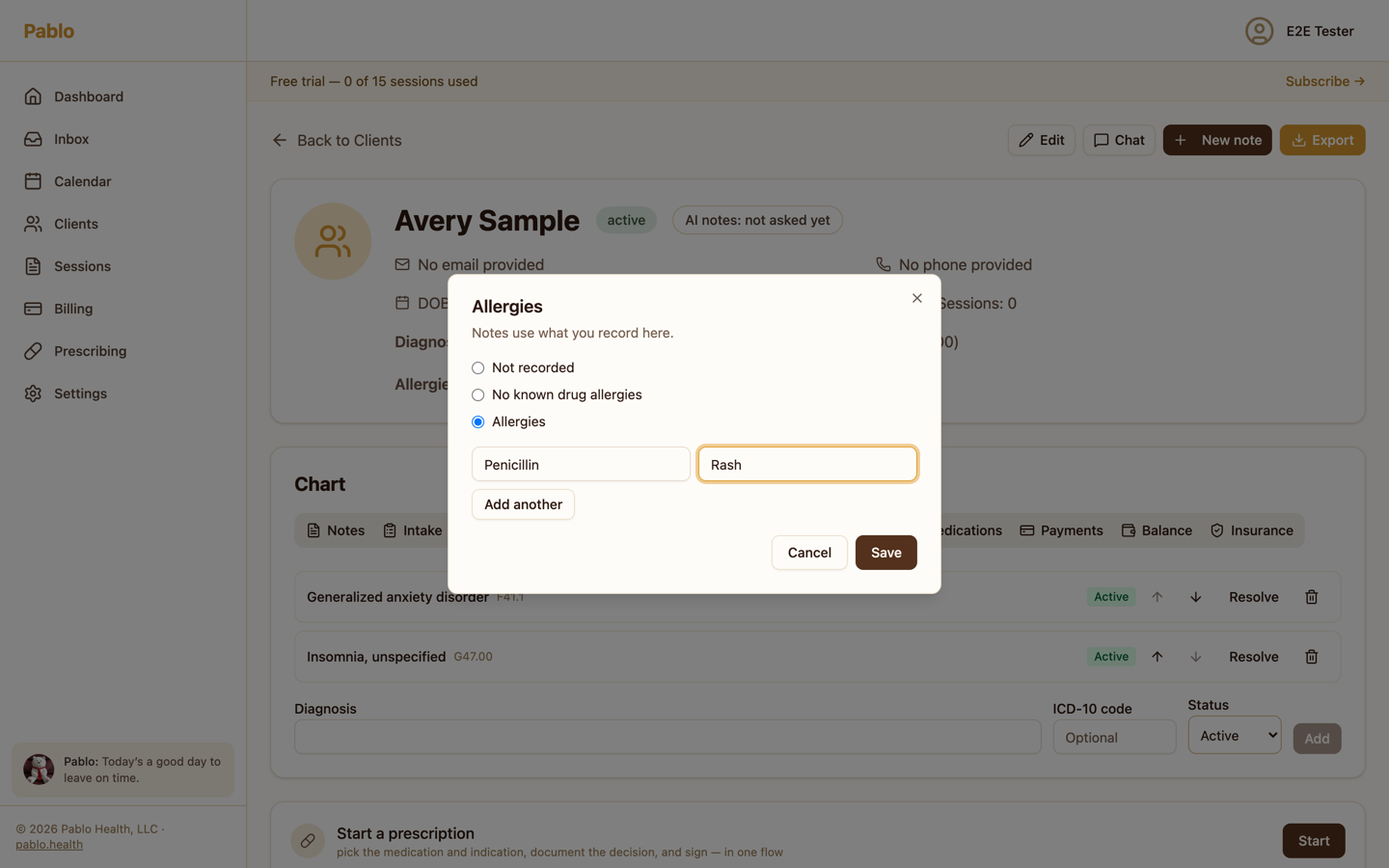
A client's chart keeps their diagnoses on a problem list and their allergies in the chart header. Notes use both.
The problem list
Open the client's chart, then the Problems tab.
To add a diagnosis, fill in Diagnosis, the ICD-10 code if you have one, and its Status: Active, Rule-out or Resolved. Then choose Add.
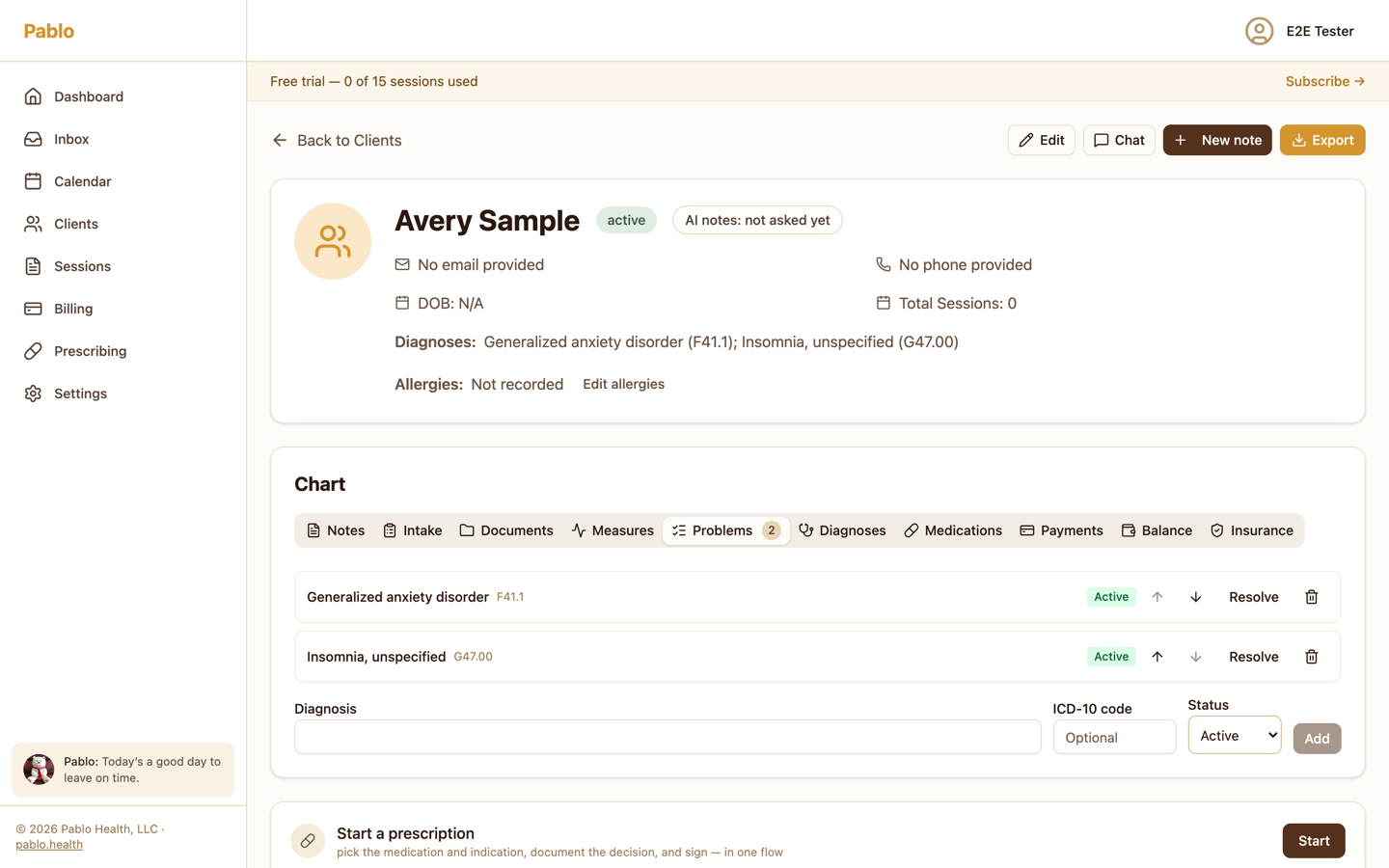
On each diagnosis you can:
- choose Resolve when it no longer applies, or Reactivate it,
- use the arrows to change the order. The first active diagnosis is the primary one,
- remove it with the trash icon.
Add to problem list from a note
When a note lists a diagnosis that isn't on the problem list, choose Add to problem list beside it. Pablo adds it with its code, as Rule-out if the note says rule out, otherwise Active.
This works on signed notes too. It changes the chart, not the note.
Allergies
In the chart header, choose Edit allergies. Choose No known drug allergies, or Allergies and add each Substance and its reaction. Then choose Save.