Pablo gives you a script for asking each client about recorded sessions and AI-assisted notes, then keeps their answer on their chart.
Turn it on or off
Open Settings, then Sessions & recording, and find Ask clients to agree to AI-assisted notes. It's on unless you turn it off. Only the practice owner can change it.
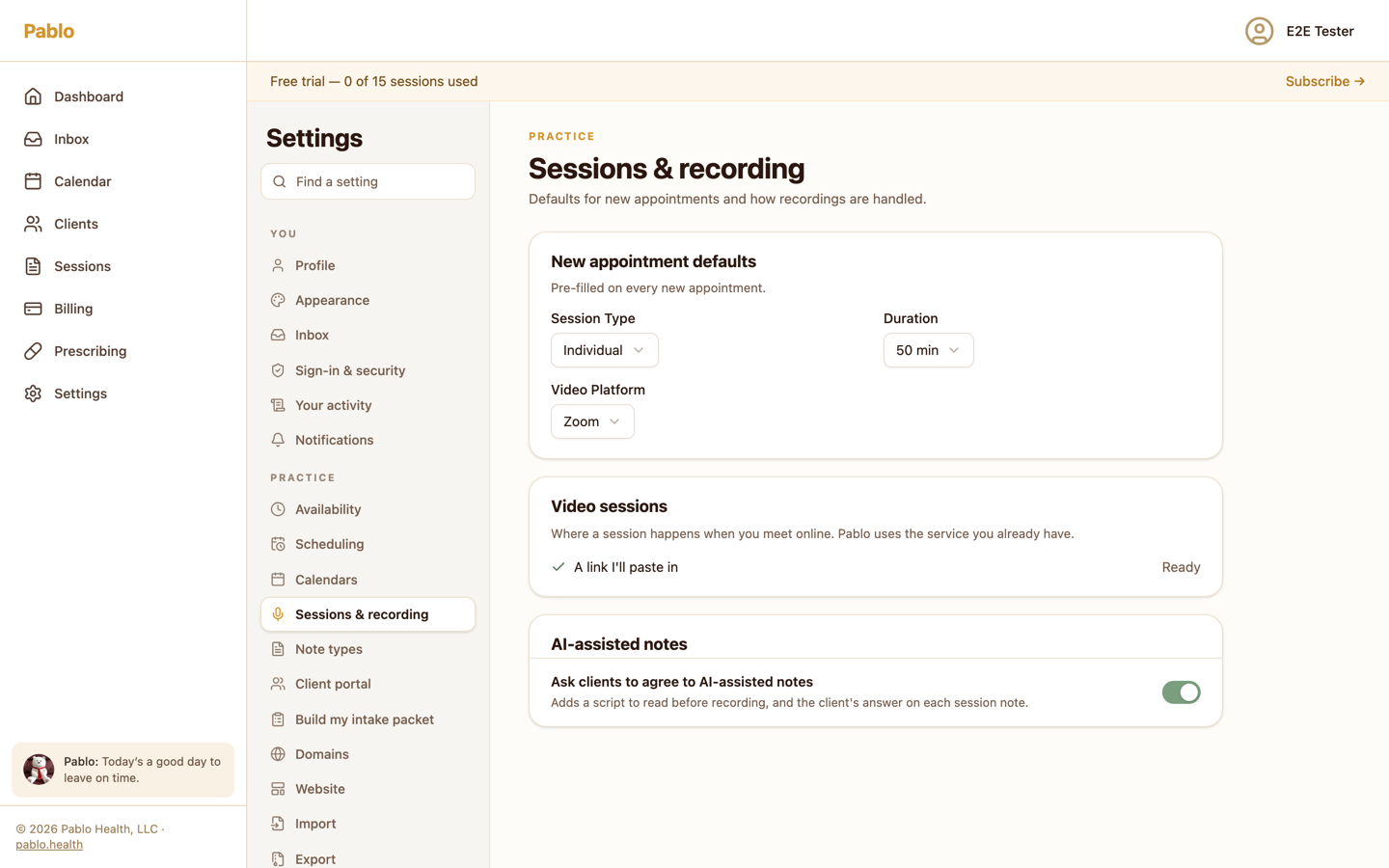
When it's on, Pablo gives you a script to read before recording, and shows your client's answer on each session note.
The script
Start recording, then read the script aloud so your client's answer is on the recording. It tells your client that an AI tool drafts your notes from a transcript, that you read and correct every note, how long the audio is kept, and that they can say no at any time.
Find it under Consent script in Pablo Companion, on your Mac or Windows PC, or next to Today in Pablo.
Record the answer on the chart
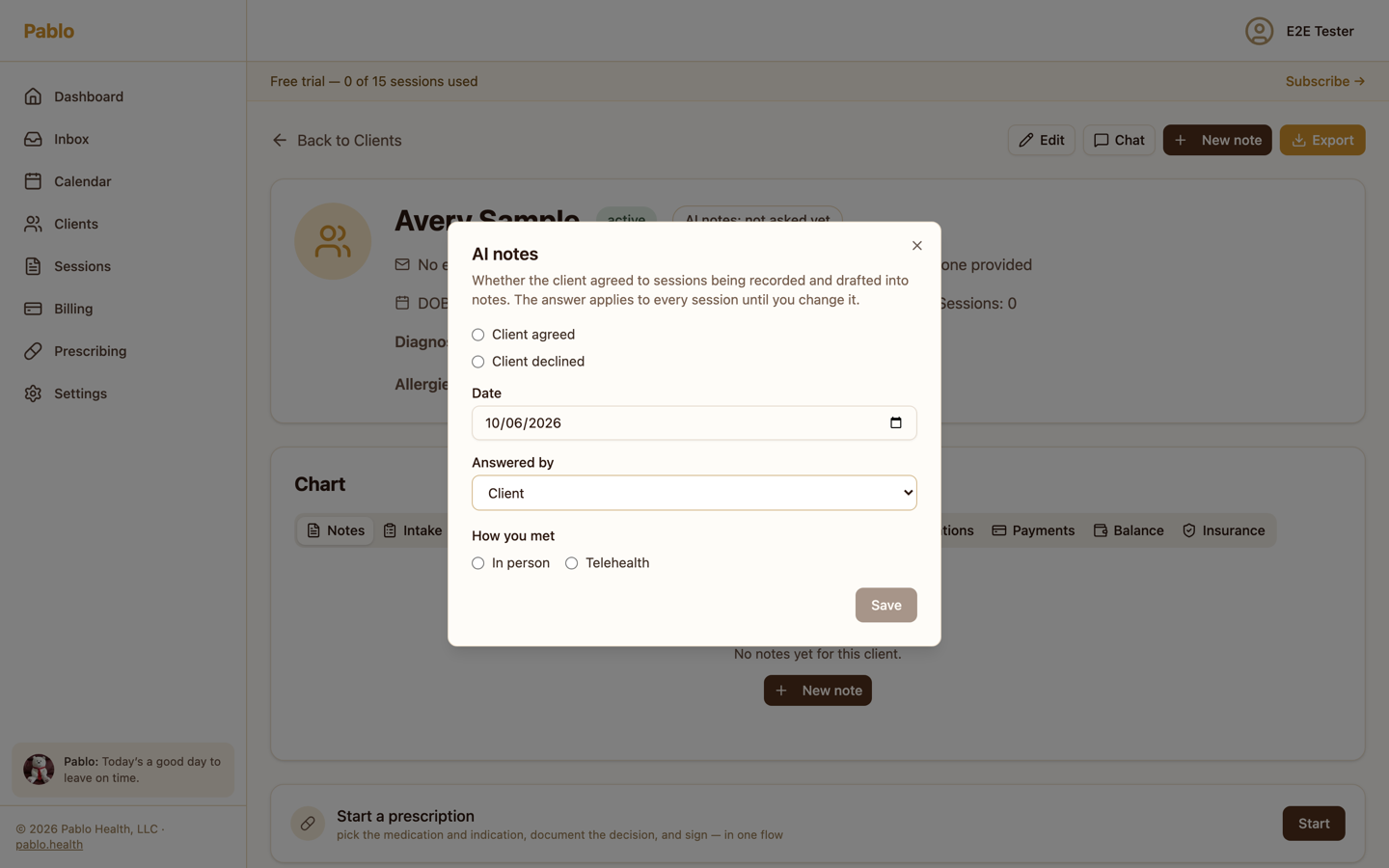
Your client's answer shows at the top of their chart, for example AI notes: agreed Oct 6, 2026. Click it to record or change the answer, who gave it, and whether you met in person or by telehealth. The answer applies to every session until you change it.
In person, with no answer on file
When you start recording, Pablo shows No consent on file. Ask your client, then choose Client agreed today. If a parent or guardian answers, choose them under Answered by first.
The prompt also includes Record anyway.
Telehealth, with no answer on file
For a telehealth session, choose Ask now to start recording. Pablo Companion shows the script; read it, then choose Client agreed or Client declined. Choose Don't record to continue without recording.
When a client declines
If your client declines on the recording, Pablo stops recording and deletes it, and nothing is uploaded. Write that session's note yourself.
If a client has declined before, Pablo won't record their sessions. To change that, record their new answer on their chart.
On the note
Each drafted note shows your client's current answer, such as Client agreed to AI-assisted notes on Oct 6, 2026. If there's none, choose Record consent there.